
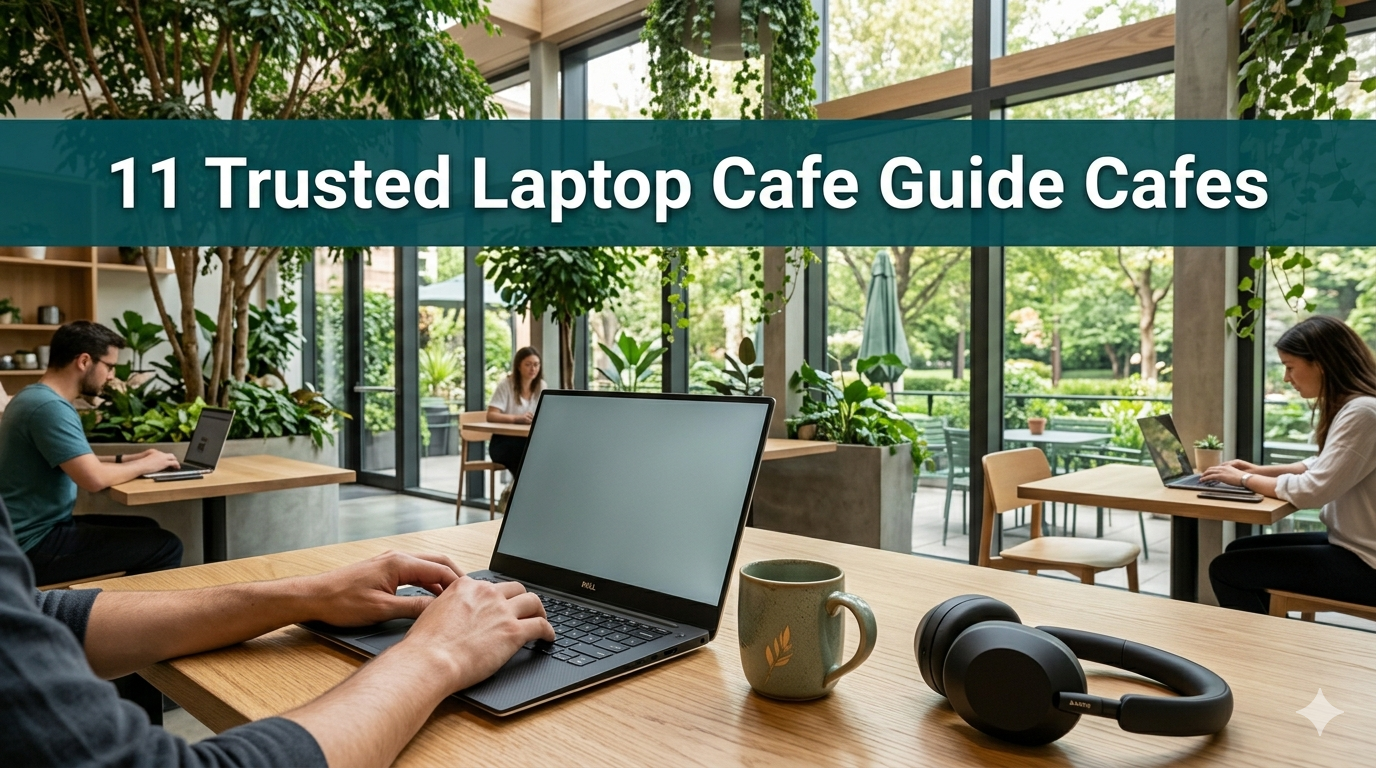
11 Tips to Find, Choose and Use Laptop Café Spaces — Anywhere in the World
Picture this. You pick up your laptop, walk into a cozy café, order your drink of choice, and accomplish more in two hours than you would at home in an entire day. Sounds great, right?
And that’s exactly what the right laptop café can do for you.
Whether you’re a student, a freelancer, a remote worker, or anyone simply in need of a change of scenery, working out of a café has real advantages. But not every café is made for laptops. Uncomfortable chairs, bad Wi-Fi, no outlets, and loud music can break your focus fast.
This guide gives you 11 tried-and-true tips to help you find, select, and use laptop café spaces — anywhere in the world.
Let’s dive in.
Tip 1: Understand What Defines a “Laptop-Friendly” Café Before You Enter
Not all cafés welcome laptop workers. Some are meant for a quick coffee run. Others are purely social spots. Before you set up your gear, you need to know the difference.
Signs a café is laptop-friendly:
- Numerous tables and varied seating (not just high stools)
- Sockets that aren’t hidden behind walls or furniture
- A sign offering free Wi-Fi or a posted Wi-Fi password
- A calm, moderate noise level
- Customers already working on laptops
Red flags to avoid:
- Signs reading “no laptops” or “30-minute seating limit”
- Only bar-style seating without flat surfaces
- Background music loud enough to prevent thinking
- Staff giving you the “hurry up and leave” look
Take a quick tour before you order. It saves you both time and awkwardness.
Tip 2: Master the Wi-Fi Check — Speed Is More Important Than You Think
Free Wi-Fi sounds great. Slow Wi-Fi is useless.
Most cafés have internet, but speeds vary widely. A connection meant for 3 users can end up shared by 10. Test the speed before you commit to a spot.

Free methods to test your Wi-Fi speed: Connect your phone to the café’s Wi-Fi and visit fast.com or speedtest.net. At a minimum, here’s what different tasks require:
| Task | Minimum Speed Needed |
|---|---|
| Emails & documents | 1–5 Mbps |
| Video calls (Zoom, Meet) | 10–25 Mbps |
| Uploading large files | 25+ Mbps |
| Streaming + video calls | 50+ Mbps |
If the speed isn’t what you need, switch cafés or use your mobile hotspot as a backup.
Pro tip: Keep your phone on a mobile hotspot plan. It’s your insurance against cafés with bad Wi-Fi days.
Tip 3: Plan Your Visit to Avoid the Crowds
Timing is everything when it comes to café work.
Peak times bring noise, competition for outlets, and pressure to leave so others can sit. Off-peak hours mean calm, power to spare, and room to spread out.
Ideal hours to visit for productive work:
- Weekday mornings (7 AM – 10 AM): Still, breezy, and full of early birds dedicated to work
- Mid-morning (10 AM – 12 PM): Calm holds. Great for deep work sessions
- Early afternoon (1 PM – 3 PM): Expect lunch crowds, but they move quickly
- Late afternoon (3 PM – 5 PM): A golden hour — the lunch rush has cleared and the evening crowd hasn’t yet formed
Avoid:
- Saturday mornings (brunch crowds)
- Fridays from 4 PM onwards (after-work meetups)
- Whenever there’s a local event nearby
The right timing can make all the difference at the very same café.
Tip 4: Locate the Power Outlet Before Ordering
One of the most frustrating things about working remotely is having your battery die mid-task. Always locate an outlet before you settle in.
Walk into the café and scan the walls. Look for outlets near booths, along baseboards, or under bar-height tables. Window seats tend to have the best natural light but the fewest outlets — worth keeping in mind.
Smart power habits at cafés:
- Bring a multi-port USB charger (like Anker or Belkin)
- Pack a short power strip or extension cord for long sessions
- Check that the outlet actually works — plug in your charger first, then order
- Sit near the outlet, even if it means a less scenic spot
A full battery means freedom. Don’t leave it to chance.
Tip 5: Keep Your Data Safe on Public Networks
Here’s something most laptop café guides don’t cover: public Wi-Fi isn’t secure by default.

When you connect to a café’s Wi-Fi, others on the same network can potentially see your activity. This is known as a “man-in-the-middle” risk.
How to protect yourself on café Wi-Fi:
- Use a VPN. A Virtual Private Network encrypts your traffic. Tools like NordVPN, ProtonVPN, or ExpressVPN are absolutely worth the few dollars a month.
- Never access your bank or other sensitive accounts on public Wi-Fi.
- Check that sites use HTTPS (look for the padlock icon in your browser).
- Disable file sharing on your laptop before connecting.
That said, café Wi-Fi isn’t always dangerous. For regular work, it’s fine 90% of the time. But if it’s something sensitive, protect yourself.
Tip 6: Build Your “Café Work Kit” — The Gear That Makes All the Difference
The right accessories transform any mediocre café session into a seriously productive one.
You don’t need to bring a lot. You need to bring the right things.
Essential café work kit:
| Item | Why It Matters |
|---|---|
| Noise-canceling headphones | Blocks outside noise without isolating you entirely |
| Laptop stand (foldable) | Saves your neck and posture during long sessions |
| Portable mouse | Much easier than a trackpad for long work sessions |
| USB hub / multi-port charger | Charge multiple devices at once |
| Laptop sleeve with pockets | Keeps gear organized in your bag |
| Reusable water bottle | Stay hydrated without ordering more drinks |
| Notepad + pen | Still the fastest way to capture quick ideas |
Keep this kit packed and ready. You’ll be out the door in minutes.
Tip 7: Manage Noise Like a Pro
Cafés are social spaces. That means noise. Some people appreciate a bit of background sound. For others, chatter and coffee machines make concentration impossible.
If noise bothers you:
- Wear noise-canceling headphones (Sony WH-1000XM5 or Bose QuietComfort are solid choices)
- Listen to binaural beats or lo-fi music — both aid focus in loud environments
- Sit away from the counter and espresso machine (the noisiest spots)
- Visit during off-peak hours (see Tip 3)
If background noise actually helps you work better:
- Seek cafés with steady background music rather than televisions
- Websites like Coffitivity.com recreate café ambience if you’re working from home and missing it
- Open floor plan cafés typically have better ambient sound than small, echoey rooms
Some studies suggest that moderate noise (around 70 decibels — roughly the sound level of a typical café) actually enhances creative thinking. So for some tasks, the café noise is a win, not a loss.
Tip 8: Be a Good Café Citizen — The Unwritten Rules
This matters more than people realize.
Cafés are businesses. They depend on sales. If you occupy a seat for six hours over one coffee, you’re taking up space that could accommodate several paying customers.
Laptop café etiquette — seven golden rules:
- Buy something every 1.5–2 hours. A coffee, a pastry, a bottle of water — it all adds up.
- Don’t take a table for four when you only need a seat for one.
- Keep your voice low on calls. No one wants to hear your meeting.
- Use headphones for all audio and video.
- If the outlet is near another customer’s table, ask before plugging in.
- Clean up your space before you leave.
- Don’t spread out across multiple seats when the café is busy.
Follow these rules and staff will welcome you back. Ignore them and you may get a polite request to leave.
Tip 9: Know Your Café Types
Not all laptop-friendly cafés are created equal. Different types offer different environments — and knowing which suits your work style can save a lot of trial and error.
A handy guide to café types for laptop users:
Specialty Coffee Shops Usually calmer atmosphere. Popular with creatives and writers. Wi-Fi can be inconsistent — always confirm before settling in.
Co-Working Cafés The best of both worlds. These are cafés designed explicitly for working — fast Wi-Fi, dedicated desk areas, reliable power, and sometimes even printing. A little more expensive, but worth it for serious work days.
Bookstore Cafés Incredibly quiet. Intellectually stimulating atmosphere. If you need to read, write, or think deeply, a bookstore café is gold.
Library Cafés Some libraries now have café spaces attached. Very quiet, free Wi-Fi, and no pressure to keep buying. Perfect for students and researchers.
Chain Cafés (Starbucks, Costa, Tim Hortons) Reliable Wi-Fi, predictable noise levels, and no one judges you for lingering. Not going to inspire greatness, but a dependable fallback when you need a sure thing.
Tip 10: Use Apps and Websites to Find the Right Laptop Café
You don’t have to discover laptop-friendly cafés by trial and error. There are tools built specifically for this — and resources like Laptop Cafe Guide offer curated recommendations for remote workers looking for the best spots worldwide.
Best tools to find laptop cafés:
| Tool | What It Does |
|---|---|
| Workfrom.co | Crowdsourced café reviews for remote workers |
| Yelp | Search “laptop friendly” in filters or reviews |
| Google Maps | Search “café with Wi-Fi” or check reviews for “good for working” |
| Foursquare | Check tips left by other remote workers |
| Caffiend App | Focused on coffee quality AND workspace suitability |
| r/digitalnomad (Reddit) | Community recommendations, cities worldwide |
On Google Maps, try searching: “laptop friendly café near me” or “café with fast Wi-Fi [your city]” and check recent reviews for terms like “great for working,” “fast Wi-Fi,” and “lots of outlets.”
Tip 11: Develop a Rotation of 3–5 Go-To Cafés
This is the smartest long-term strategy in this entire guide.
Don’t rely on just one café. Things happen — they get crowded, they close for a day, the Wi-Fi goes down. A small rotation of trusted spots keeps you productive no matter what.
How to build your café rotation:
- Start with scouting. Over a few weekends, visit different cafés with no work agenda. Just observe — the vibe, the number of outlets, the noise level, and how staff treat people working on laptops.
- Test each one for real work. Visit on a weekday morning at least once. See how it holds up under actual work pressure.
- Rate them by task type. Some cafés are better for creative work. Others are better for calls. Know which is which.
- Keep notes. A one-liner in your phone works fine: “Café A — best for mornings, two outlets by the window, fast Wi-Fi. Not great on weekends.”
- Revisit and rotate. Space out your visits so you’re not exhausting your welcome at any one place.
A solid café rotation means you always have somewhere to go, no matter the day, the season, or the project.
What the Research Says: The Café Productivity Effect
There’s more to working at a café than just a change of scenery.
Research has shown that working in a café can actually increase creativity and output — if the environment is right. Here’s why it works:
Moderate background noise encourages creative thinking. A study published in the Journal of Consumer Research found that ambient noise at around 70 decibels — roughly the sound level of a typical café — is more conducive to creative thinking than either silence or louder noise.
A different environment breaks mental ruts. Working in the same place every day can contribute to mental fatigue. Changing locations resets your focus and signals to your brain that it’s “work time” in a fresh context.
Social energy without social distraction. Being around other focused people creates productive momentum. You see others working, and it encourages you to work too. This is sometimes called “body doubling.”
A natural deadline. You can’t stay in a café forever. That subtle time pressure helps many people work faster and smarter.
Laptop Café FAQs
Q: How long is it acceptable to sit in a café with your laptop? A: As a general rule, buy something every 1.5 to 2 hours. For longer sessions, look specifically for cafés with co-working areas designed for extended visits. Always check if the café has posted any rules.
Q: What’s the best type of café for video calls? A: Look for co-working cafés with private call booths, or quieter corners. Chain cafés in less trafficked areas can also work. Avoid brunch spots or open-plan cafés with loud music.
Q: Should I use a VPN to work safely in a café? A: If you work with sensitive data, client information, or financial accounts, a VPN is strongly recommended. For general work like documents and emails, HTTPS websites are usually sufficient protection.
Q: What if a café has no power outlets? A: Pack a fully charged laptop and a portable power bank. If your machine is power-hungry, prioritize cafés where you’ve verified outlet availability. Reviews on Workfrom.co often include information on outlets.
Q: Are laptop cafés the same as co-working spaces? A: Not exactly. Co-working spaces are dedicated office environments that require paid memberships. Laptop cafés are regular cafés that happen to be welcoming to laptop workers. Some cafés do both — serving a café menu while also offering proper desk setups.
Q: What if the café Wi-Fi is unbearably slow? A: Use your phone as a mobile hotspot. Most modern smartphones support this. Just keep in mind it uses your mobile data, so it’s best reserved for short tasks or when no better option is available.
Q: Should I take calls from a café? A: Yes, but keep them brief and keep your voice down. For longer meetings, use headphones with a microphone and find a quiet corner. Never use speakerphone — it annoys everyone around you.
Q: Which cities have the best laptop café cultures? A: Some of the best destinations globally for remote workers include Bali (especially Canggu), Chiang Mai in Thailand, Lisbon in Portugal, Berlin, Medellín in Colombia, and Tokyo in Japan. Each has dozens of laptop-friendly cafés to choose from.
Conclusion: Go Find Your Laptop Café
Working from a café isn’t just fashionable. For millions of people around the world, it’s a smarter, more flexible way to get things done.
The right café can sharpen your focus, spark creativity, and make work feel less like a slog. The wrong one will drain your battery, burn your patience, and leave you with nothing finished and a cold coffee you never enjoyed.
That’s why using a good laptop café guide matters — to help you make the right call every time you take your laptop out of the office or home.
Start this week with one café. Apply just two or three techniques from this guide. Notice the difference. Then build from there.
Your ideal workspace is out there: it smells like espresso, has an open power outlet by the window, and the Wi-Fi password is written on a small chalkboard near the door.