
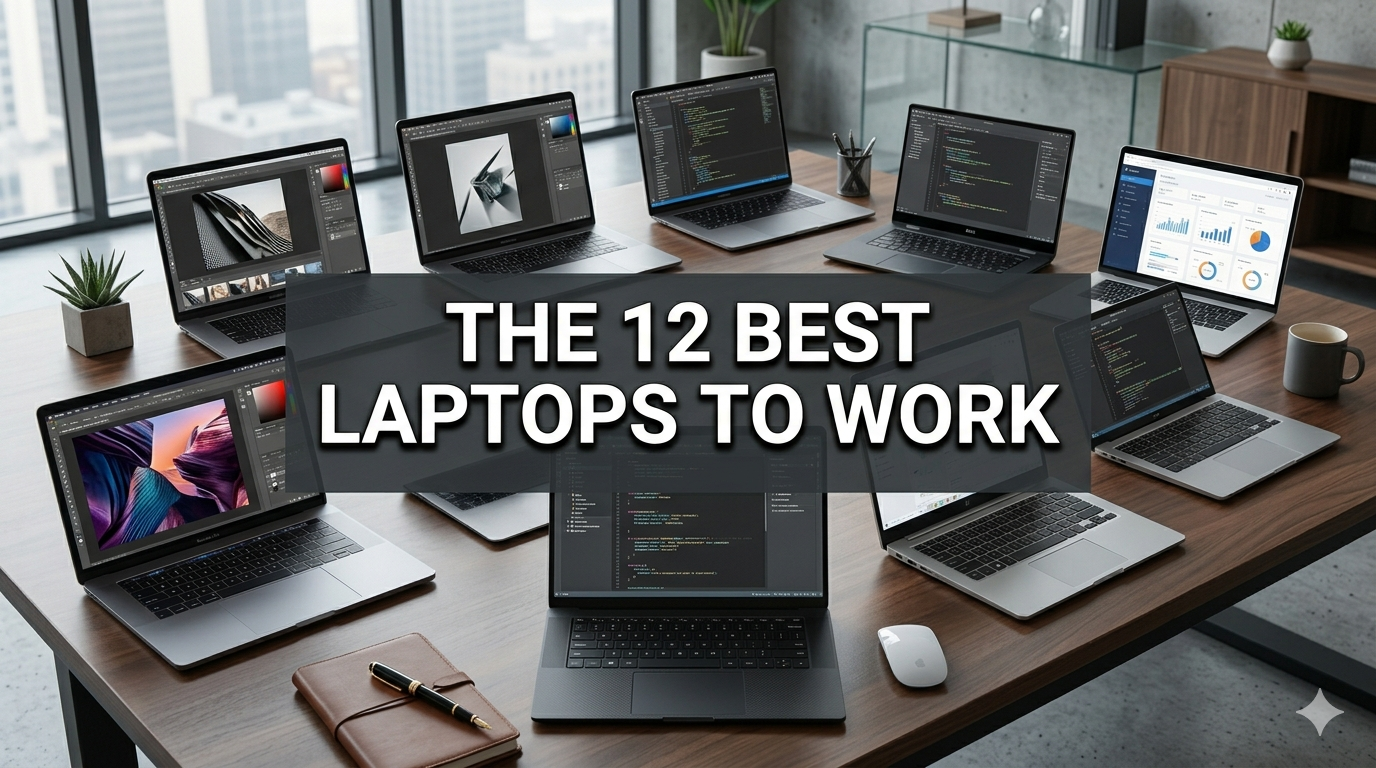
The 12 Best Types of Laptop Cafes — And What Makes Each One Unique
Whether you’re a student pulling an all-nighter, a freelancer chasing deadlines, or a remote worker who just needs to change up the scenery — finding the right cafe to work from matters a lot. A terrible cafe can ruin your concentration. The right one? It can make your whole day.
This laptop cafe guide provides an overview of 12 exceptional types of cafes designed for you, with real-life examples of each. We’ll also go through what to look for, what to avoid, and how to get the most out of your cafe work sessions.
Let’s get into it.
Why Working in a Cafe Actually Works
Before we jump into the list, here’s a quick overview of why cafe working has become so popular.
Studies have found that working in the range of moderate background noise — about 70 decibels — can lead to increased creative thinking. That’s just the ambient drone of a busy cafe. Not too quiet. Not too loud. Just right.
And stepping out of your bedroom or office can switch your brain into “work mode.” There’s something about ordering a coffee, sitting down at a good table and cracking open your laptop that feels like hitting the reset button.
The challenge is finding the right cafe. That’s precisely why this guide exists.
What Makes a Cafe “Laptop-Friendly”?
Not every cafe welcomes laptop users. Some have no outlets. Others have Wi-Fi that barely loads a web page. Here’s a quick breakdown of what separates a good work cafe from a frustrating one.
A laptop-friendly cafe typically offers:
- Fast, stable Wi-Fi (25 Mbps or higher)
- Visible, accessible power outlets
- Comfortable seating for long sessions
- A reasonable noise level
- Staff who don’t rush you out the door
- A posted Wi-Fi password
A laptop-hostile cafe typically has:
- No outlets in sight
- Slow or non-existent Wi-Fi
- Hard, uncomfortable seating
- Very loud music or background noise
- Time limits or minimum spend rules posted at the door
The 12 Best Types of Laptop Cafes
1. The Classic Independent Coffee Shop — Where Character Meets Connectivity
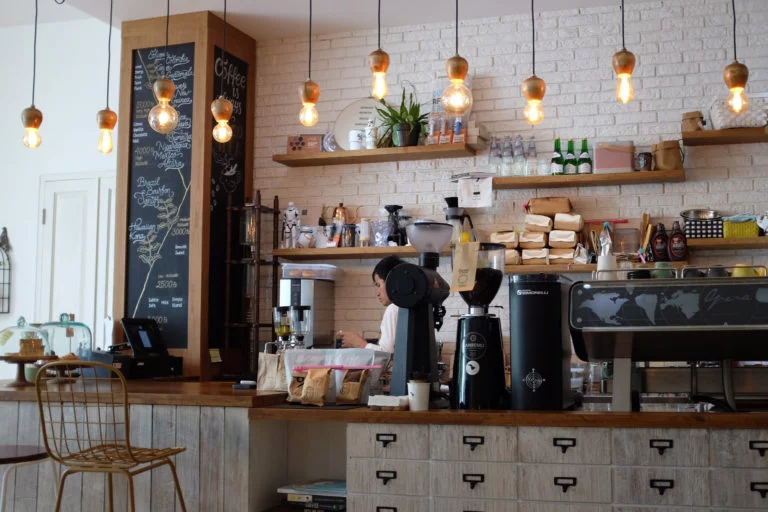
Independent cafes are the original laptop workspace. They’re often owned by coffee enthusiasts who are passionate about the place they’ve built.
Often featuring mismatched furniture, exposed brick walls and hand-painted menus, what they lack in corporate polish they make up for in atmosphere.
Why it works for laptop users:
- Owners generally want you to stay — more time means more orders
- Wi-Fi password is usually on the receipt or the chalkboard
- Regulars get special treatment — free refills, preferred tables, friendly chitchat
Best for: Writers, designers and anyone who enjoys a little personality in their workspace.
Watch out for: Busy rushes on weekends. The best time to visit is a Tuesday morning.
2. Third-Wave Specialty Coffee Bars — Serious Coffee for Serious Workers
Third-wave coffee bars treat coffee as a craft. Think single-origin beans, pour-overs and baristas who can explain the difference between a natural and washed process.
These venues attract an intense, focused crowd. People come here to work, not just scroll through social media.
Why it works for laptop users:
- The atmosphere is calm and focused — like a library, but with espresso
- Seating is often designed for longer stays
- Background music is low-tempo and non-disruptive
Best for: Deep, linear work — coding, writing, researching or studying.
Watch out for: Some specialty cafes limit laptop use during busy periods. Always check in advance.
3. Co-Working Cafes — The Middle Ground Between Office and Coffee Shop
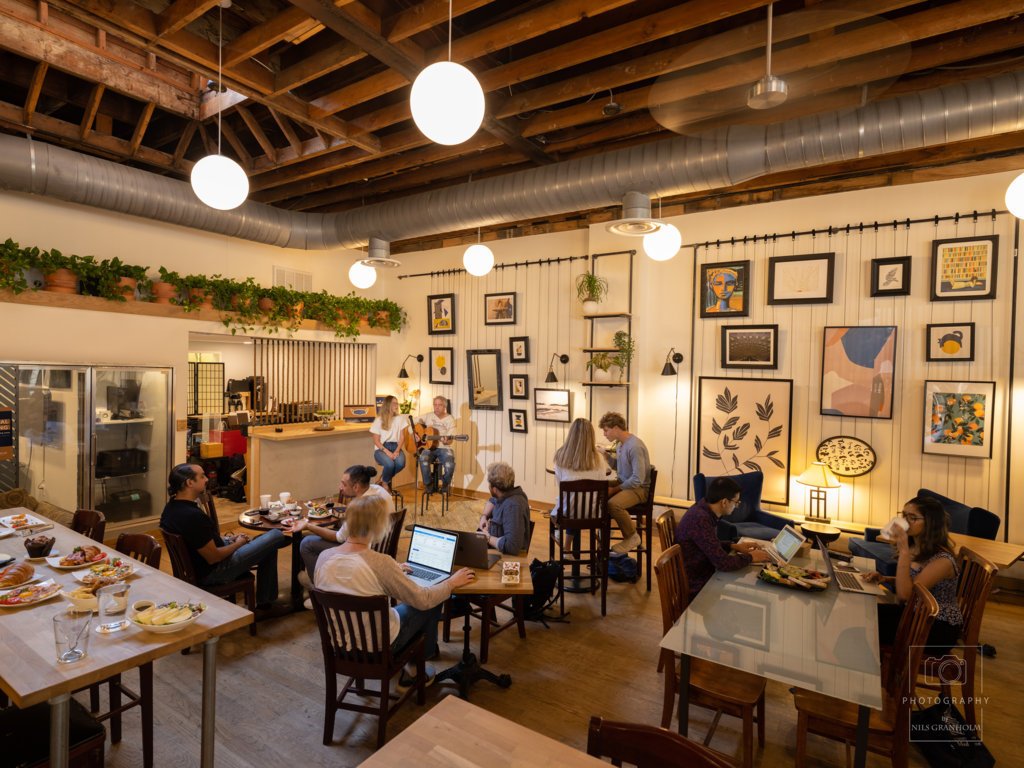
Co-working cafes are a newer concept, and they’re on the rise. They’re cafes that double as flexible workspaces.
You pay for the coffee and get access to a desk, fast Wi-Fi, printing (sometimes) and meeting rooms. Think of it as a co-working space, but far more relaxed.
Why it works for laptop users:
- Everything is designed with you in mind — outlets everywhere, stable internet, decent chairs
- Some charge a nominal daily fee ($5–$15) in addition to coffee for premium access
- Ideal for video calls — some have soundproof booths
Best for: Remote workers, freelancers and small team meetings.
Watch out for: Crowded between 9–11 AM. Arrive early or go after lunch for the best seats.
4. Bookstore Cafes — Quiet, Cozy and Creative
Bookstores with attached cafes are a little-known gem for laptop workers. Books paired with caffeine create one of the most focus-friendly environments there is.
Noise levels are naturally low. People respect the quiet. The bookshelves create a certain creative energy in the room.
Why it works for laptop users:
- Super low noise — quieter than most libraries
- Customers are generally polite and well-mannered
- Ideal for creative work, reading or studying
Best for: Students, authors and anyone who requires deep concentration.
Watch out for: Shorter hours than conventional cafes. Check before you go.
5. Hotel Lobby Cafes — Underrated and Often Overlooked
This one surprises a lot of people. But for work, hotel lobby cafes are exceptionally good.
Hotels invest lavishly in their lobbies to make them feel lively and welcoming. Because the guests are travelers, the Wi-Fi must be reliable — and it usually is.
Why it works for laptop users:
- Fast, hotel-grade Wi-Fi designed for business travelers
- Large, comfortable tables and chairs built for long sits
- Professional vibe — ideal for video calls
- The cafe is open to the public, not just guests
Best for: Professional calls, client meetings or focused work.
Watch out for: Higher prices than regular cafes. Budget accordingly.
6. Library Cafes — The Quietest Option on the List
Most modern libraries have attached cafes or cafe zones. This is about as close to a silent workspace as you’ll get — while still having access to coffee.
Some libraries even feature dedicated “cafe work zones” where people are allowed to talk at a normal volume, separate from the silent reading areas.
Why it works for laptop users:
- Designed for long study sessions
- Free or very affordable Wi-Fi
- Many outlets and charging stations available
Best for: Students, researchers and anyone who wants zero distractions.
Watch out for: Some library cafes close early, and outside food and drink are typically not allowed. Check the rules first.
7. Rooftop Cafes — Work With a View
When the weather is right, a rooftop cafe is one of the most stimulating places to open your laptop. Fresh air, an open sky and a great view can work wonders for creativity.
Why it works for laptop users:
- Unique and motivating environment
- Perfect for brainstorming and creative work
- Typically less crowded than ground-level cafes
Best for: Creative professionals, photographers and anyone who wants a fresh perspective — literally.
Watch out for: Sunlight glare on your screen can be intense. Bring a laptop hood or find a shaded table.
8. Night Owl Cafes (24/7 or Late-Night) — For Those Who Work After Dark
Late nights can be some of the most productive work sessions. If you’re a night owl, finding a cafe that stays open past midnight is a genuine asset.
These spots tend to attract students, developers and creatives who hit their stride after 10 PM.
Why it works for laptop users:
- Less busy — the whole place may feel like yours
- Staff tend to be relaxed and leave you to it
- Excellent for focused, distraction-free work
Best for: Night-shift workers, students before exams and anyone on a reverse sleep schedule.
Watch out for: Safety is a nighttime concern. Stick to cafes in well-lit, busy parts of town.
9. Minimalist Aesthetic Cafes — Clean Space, Clear Mind
These cafes favor a stripped-back design — white walls, wooden tables, simple menus. No clutter. No chaos. Just you, your coffee and your laptop.
This minimalist approach isn’t just about aesthetics. It actually helps you focus. With nothing to distract your eye, your mind settles into work more quickly.
Why it works for laptop users:
- Calm visual environment reduces mental fatigue
- Tends to attract a quiet, focused crowd
- A clean, uncluttered table makes for a better workspace
Best for: Anyone prone to distraction from visual clutter.
Watch out for: Some minimalist cafes are strict about noise — video calls may not be permitted.
10. Gaming and Tech Cafes — Fast Internet, Plenty of Power
Gaming cafes have evolved. Many now serve not just gamers but also developers, streamers and tech workers.
They generally offer super-fast internet (in some cases up to 1 Gbps), plenty of power outlets at every seat and a high-energy, tech-forward vibe.
Why it works for laptop users:
- The fastest internet on this list, by far
- Multiple power outlets at every seat
- Staff and customers who understand the hustle
Best for: Developers, video editors and gamers-turned-remote-workers.
Watch out for: Can get loud during gaming sessions. Noise-canceling headphones are a must.
11. Garden or Outdoor Cafes — Nature as Your Office Background
Working outdoors has real benefits. Your eyes cope better with natural light than screen glare. Fresh air keeps you alert. And a garden setting is genuinely calming.
Why it works for laptop users:
- Natural lighting reduces eye strain
- Nature sounds — birds, wind, water — have been shown to aid focus
- A regular change from indoor settings refreshes your thinking
Best for: Writers, designers and anyone whose work depends on creative thought.
Watch out for: Outdoor Wi-Fi can be spotty. Keep your phone on tethering as a backup.
12. Cultural and Themed Cafes — Work in a World of Your Own
These are cafes built around a theme — a Japanese cat cafe, a bookshop cafe styled like a 1920s library, or an art-gallery cafe with rotating exhibitions.
They might sound gimmicky. But they can be genuinely great for productivity. A themed setting encourages curiosity and keeps boredom at bay.
Why it works for laptop users:
- The unique atmosphere makes long work sessions feel like an experience
- Usually quieter, because visitors arrive to enjoy the theme rather than socialize loudly
- Ideal for content creators looking for a distinctive background
Best for: Content creators, bloggers, lifestyle workers and anyone who gets tired of standard cafes.
Watch out for: Themed cafes can get busy on weekends. Visit on weekdays for a calmer experience.
Comparison: All 12 Cafes Side by Side
| Cafe Type | Wi-Fi | Noise Level | Outlets | Best For |
|---|---|---|---|---|
| Independent Coffee Shop | Good | Low–Medium | Moderate | Writers, designers |
| Specialty Coffee Bar | Good | Low | Moderate | Deep focused work |
| Co-Working Cafe | Excellent | Low–Medium | Plentiful | Remote workers, freelancers |
| Bookstore Cafe | Medium | Very Low | Limited | Students, authors |
| Hotel Lobby Cafe | Excellent | Low | Good | Calls, client meetings |
| Library Cafe | Good | Very Low | Good | Researchers, students |
| Rooftop Cafe | Medium | Low | Limited | Creatives, brainstorming |
| Night Owl Cafe | Varies | Low (late night) | Moderate | Night-shift workers |
| Minimalist Cafe | Good | Low | Moderate | Visual distraction-prone |
| Gaming/Tech Cafe | Excellent | Medium–High | Plentiful | Developers, editors |
| Garden/Outdoor Cafe | Varies | Low | Limited | Writers, creatives |
| Themed/Cultural Cafe | Varies | Low–Medium | Limited | Content creators |
Smart Tips to Make the Most of Any Laptop Cafe
Finding the right cafe is just step one. Here’s how to maximize your time once you’re there.
Buy Something — Even if You Don’t Feel Like It
That’s the unspoken rule of working in a cafe. If you’re occupying a seat for three hours, buy a coffee, a snack or another drink. It keeps you welcome and keeps the relationship with staff friendly.
Most cafes don’t mind long stays, provided customers keep spending. Don’t be the person nursing one espresso for five hours.
Bring Your Own Headphones
Noise-canceling headphones are one of the best investments a cafe worker can make. They help drown out background chatter and signal to others that you’re focused and don’t want to be disturbed.
Even affordable options — basic earbuds paired with a lo-fi playlist or a white noise app — do a solid job. A reliable choice is the Sony WH-1000XM5, widely regarded as one of the best noise-canceling headphones for remote workers.
Check the Wi-Fi Before You Settle In
Don’t unpack your entire setup only to find the Wi-Fi barely works. Run a quick speed test at speedtest.net, then pick your seat.
25 Mbps is a solid starting point for general work. For video calls or uploading large files, aim for 50+ Mbps.
Find Your Power Spot First
Scan the room for outlets before you sit down. Power-friendly seats fill up fast. The best cafe workers arrive early and claim the spots along the walls where most outlets tend to be.
Become a Regular
If you find a cafe you love, make it your regular spot. The staff will start to know your name. They’ll remember your order. They’ll sometimes even hold your favorite table.
Being a regular also comes with real perks — advance notice of events, free drinks on slow days and priority seating during busy hours.
How to Choose the Best Cafe for Your Work Style
Not sure which type of cafe is right for you? Here’s a simple guide.
- You’re a student studying for exams → Library Cafe or Bookstore Cafe. Quiet, budget-friendly and built for long sessions.
- You’re a freelancer doing client calls → Hotel Lobby Cafe or Co-Working Cafe. Fast Wi-Fi and a professional atmosphere are essential.
- You’re a developer or video editor → Gaming/Tech Cafe. The internet speeds and power supply will make your life significantly easier.
- You’re a creative looking for inspiration → Rooftop Cafe, Garden Cafe or Themed Cafe. The environment around you becomes part of the work.
- You’re a night owl → Night Owl Cafe. Simple as that.
Warning Signs of a Bad Laptop Cafe
No laptop cafe guide would be complete without a list of red flags. Here’s what to watch out for:
- No visible outlets anywhere — you’ll be running on empty within two hours
- Cramped tables with no personal space — maddening and unproductive
- Wi-Fi requires a 30-minute purchase or a complex login — skip it
- Staff giving you looks for staying too long — you’re not welcome there
- No mention of Wi-Fi on any signage — it’s probably terrible anyway
- Wobbly or bar-height tables — your wrists will be aching within an hour
Frequently Asked Questions About Laptop Cafes
Q: Is it rude to sit in a cafe for hours working on your laptop? Definitely not — as long as you keep buying drinks or snacks. Most cafes welcome it and design their spaces with laptop workers in mind. Just be considerate during rush hours and share a table if things get crowded.
Q: Should I ask the cafe whether they allow laptops? Always best to check, especially at smaller or boutique cafes. Some only permit laptop use outside of lunch rushes. A quick Google search or a phone call before heading out can save you an unnecessary trip.
Q: When is the best time to go to a cafe to work? Generally, weekday mornings between 7 AM and 11 AM are the sweet spot. Cafes are open, relatively quiet and you’ll have a good selection of tables. Avoid Saturday and Sunday mornings — those are peak brunch hours.
Q: Should I bring my own laptop stand or mouse? Not essential, but helpful. A portable laptop stand improves your posture significantly during long sessions. A wireless mouse is far more comfortable for extended work than a trackpad.
Q: What’s a reasonable amount to spend at a cafe when working? A rough rule of thumb is one drink or snack every 1–2 hours. For a four-hour session, plan on two items. That’s roughly $8–$15 depending on the cafe.
Q: Can gaming cafes work well for a regular laptop user? Yes — especially if you need the fastest Wi-Fi available. Bring headphones, though, as it can get loud when games are running.
Q: Can I take video calls at a cafe? Yes, but be considerate of those around you. Keep your voice low. For longer calls, look for cafes with soundproof booths or dedicated phone areas. Co-working cafes are your best bet for this.
Q: What if the cafe Wi-Fi is too slow? Tether your laptop to your phone’s mobile data. Most smartphones support hotspot mode. Just keep an eye on your data usage, especially if you’re on a limited plan.
Wrapping It All Up
The right cafe can genuinely change the way you work. It gives you energy, focus, a change of scenery and — let’s be honest — very good coffee.
This laptop cafe guide has explored 12 varieties, from the hushed corners of bookstores to high-powered gaming outlets. Each one has its strengths. The real secret is finding a cafe that fits your work style.
Start by deciding what you need most — fast Wi-Fi, a quiet atmosphere, plenty of outlets, late hours or an inspiring environment. Then use this guide to find your match.
Before long, working from the same spot every single day will feel unthinkable — because your ideal workspace will already be waiting for you.
Now close this tab, pick up your laptop and go find your perfect cafe.