
Simple, practical tips from real remote work experience — so you leave the cafe feeling energised, not spent.
It sounds dreamy working from a cafe. A fresh cup of coffee, an exciting buzz in the air, no office politics. But anyone who has spent a whole day huddled over a laptop on a rickety table knows better: cafe work can destroy your body, drain your battery (literally and figuratively), and ruin your concentration.
The good news? A few clever tweaks can radically improve the experience.
This laptop cafe guide is full of simple, practical comfort hacks from actual remote work experience. Whether you’re a freelancer, a student, or just someone who fled the office for an afternoon, heed these tips to work smarter, sit better, and get out of that cafe feeling invigorated rather than spent.
Let’s get into it.
Why Cafe Work Comfort Is More Difficult Than It Appears
Most cafes aren’t built for people who will be there five hours. The chairs are fashionable but inflexible. The tables are too low or too high or simply wobbly. The light changes throughout the day. The noise oscillates between deafening and deafening silence.
And this is not a complaint — it’s just life.
Walk into a cafe unprepared, and it’s your body that pays the price. The most common complaints: neck pain, eye strain, bad posture and mental fatigue among remote workers who rely on cafe settings.
Ergonomics research shows that spending just two hours at a poorly set-up workstation can lead to significant muscle tension in the neck and upper back. Now imagine doing it five days a week from a different seat each time.
Which is precisely why there’s this guide.
Hack No. 1
Choose Your Seat Like a Business Person, Not a Visitor
The most common error cafe workers make takes place before they even boot up their laptop. They sit down in the first available seat.
Do not do this.
Your choice of seat dictates everything — your posture, your focus, the amount of glare on your screen, and how long you’re able to realistically stay productive. Think of seat selection as a skill that can be cultivated.
The window trap
Window seats look amazing. They feel inspiring. But here’s the issue: side or rear natural light produces harsh glare. Your eyes are working overtime to compensate for the bright background against your screen. And within the hour, you’ll sense a headache start to creep in.
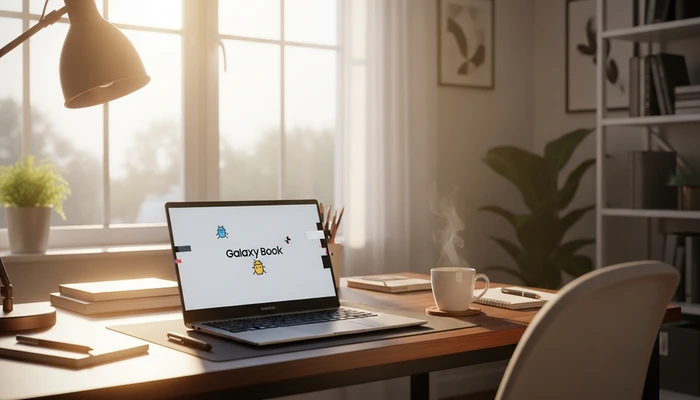
The fix: place yourself with the window to your side but slightly behind you — never directly behind the screen nor facing it head-on.
Corner seats are gold
A corner seat puts a wall at your back. This does two things. It dials down the visual noise of people walking behind you (your brain is always trying to make sense of movement in your periphery, and that gets tiring). It also provides a sense of safety that helps your nervous system relax, which makes it easier to achieve deep focus.
Table height check
Before you sit down, press your palm flat against the table surface. When your arm is resting at its natural position, your elbow should be close to 90 degrees. If the table is too high, your shoulders will eventually scrunch up. Too low and you’ll hunch over like a question mark.
If the table seems wrong, ask if another is free. Most cafes have a range, and staff are generally happy to help.
Hack No. 2
Create a Mobile Ergonomic Kit That Fits in Your Bag
Here’s the game-changing habit that distinguishes leisurely cafe workers from productive ones: bring a small ergonomic kit.
You don’t have to haul an entire office with you. A few light items will transform any cafe table into a workable, body-friendly station.
The laptop stand (lightweight version)
A laptop resting on a flat table results in the screen being about 15–20 cm lower than where your eyes should be. This causes your head to jut forward and down, putting immense strain on your cervical spine over the course of an hour.
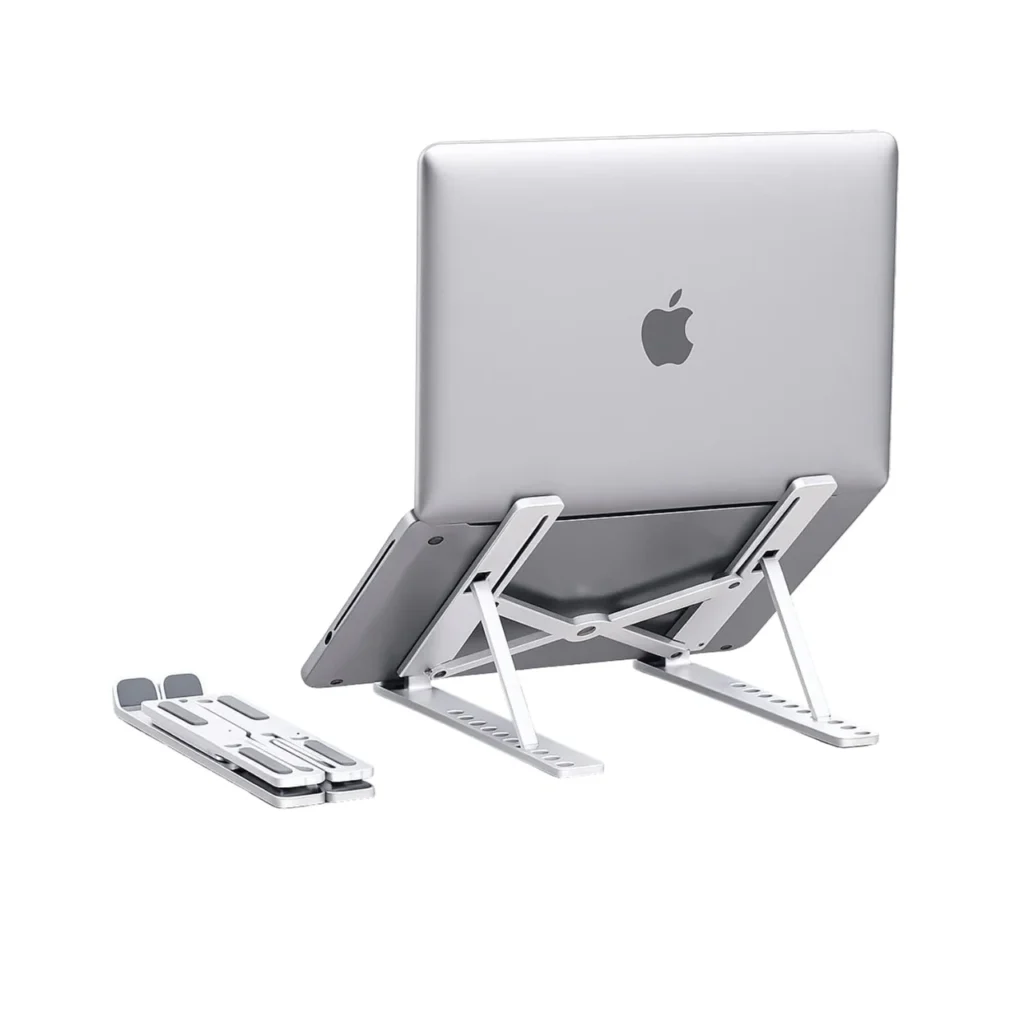
A collapsible laptop stand elevates your screen to eye level. Choose a foldable aluminium model weighing under 300 grams. Most fold flat and slide into a sleeve in your bag.
A compact wireless keyboard
Once you raise your laptop on a stand, you’ll need a separate keyboard so your arms fall at a comfortable angle. A slim Bluetooth keyboard costs very little and weighs almost nothing. This small addition greatly reduces wrist and shoulder fatigue.
A wireless mouse
Laptop trackpads are okay for short sessions, but your wrist pays the penalty over hours of work. A wireless mouse is much faster than a trackpad and requires less repetitive strain on your thumb and wrist muscles.
| Item | Weight | What it resolves |
|---|---|---|
| Foldable laptop stand | 250–400g | Screen level, neck strain |
| Slim Bluetooth keyboard | 300–500g | Wrist and shoulder positioning |
| Compact wireless mouse | 80–150g | Trackpad wrist fatigue |
| Earbuds or noise-cancelling headphones | 20–300g | Focus and audio privacy |
| Portable power bank | 200–400g | Battery anxiety |
The invisible lumbar roll
This one sounds unconventional but it works. Roll up a lightweight scarf or hoodie to create an arch for your lower back. It acts as a lumbar-support cushion and prevents your spine from collapsing into a C-shape over the long term.
There has never been a cafe chair in history designed with your lumbar spine in mind.
Hack No. 3
Get the Sound Game Down Before It Gets You
Cafe noise is unpredictable. That’s partly what makes the environment energising. But it can also shatter your focus without you even realising it.
When background noise actually helps
Research out of the University of Illinois determined that a moderate level of background noise — about 70 decibels, roughly that of a coffee shop — can actually enhance creative thinking. That’s why so many writers, designers and other creatives love to work in cafes.
The key word is moderate. Once the sound tips into boisterous conversation, clashing music, or the afternoon crush, that helpful buzz becomes a distraction machine.
Your audio toolkit
The gold standard is active noise-cancelling headphones. Brands such as Sony and Bose produce superb options, but there are reputable lower-cost alternatives as well. The key is that noise cancellation is active and not just passive (physical blocking).
If full headphones feel too isolating, wireless earbuds with ambient mode controls offer flexibility. You can tune into exactly how much of the cafe world you want.
The playlist strategy
- Deep focus work (writing, coding, analysis): Lo-fi hip-hop, ambient electronic or classical instrumentals. No lyrics.
- Creative brainstorming: Cafe background noise (or a nature soundscape) usually works better than structured music.
- Admin tasks (emails, scheduling, spreadsheets): Familiar music with lyrics is fine — your brain can manage the distraction because the work is more mechanical.
Hack No. 4
Shield Your Eyes From the Screen-Light Combination
Eye strain at cafes is thought to come from screens. That’s only half the story. The real villain is high contrast between your screen brightness and the ambient lighting around you.
The brightness rule
Your screen should be roughly as bright as the environment around you. In a bright, sunlit cafe, turn it up. In a dark, moody cafe, turn it down. When your screen is much brighter or darker than your surroundings, your pupils are constantly dilating and constricting — and that causes fatigue.
Blue light and what to actually do about it
Blue light filtering is now a huge industry, and some of the claims are exaggerated. But there is genuine evidence that minimising blue light exposure in the hours before you plan to finish work can help your brain wind down more naturally.
Most operating systems now include a built-in warm light mode — Apple’s Night Shift and Windows’ Night Light. Activate it in the early afternoon during long cafe sessions. For additional protection, f.lux is a widely used free tool that automatically adjusts your screen’s colour temperature based on the time of day.
The 20-20-20 rule for cafe workers
Every 20 minutes, gaze at something 20 feet away for 20 seconds.
This may sound overly simple, but it gives your eye muscles a real break. Set a discreet, repeating alarm on your phone or use a browser extension as a reminder. In a cafe setting, this is easy — look across the room at another table, gaze out a window, and let your eyes rest.
Screen angle matters more than you think
Your screen should be positioned so your eyes gaze slightly downward — not directly ahead and certainly not up. The top of your screen should sit at or just below eye level. This is one more reason the laptop stand is so valuable.
Hack No. 5
Gain the Upper Hand on Energy and Connectivity
Nothing brings a cafe work session crashing to a halt faster than a dying laptop or a connection that won’t hold.
Scouting power before you order
Before selecting your seat and ordering your drink, do a quick scan of the room for outlets. Note where they are. Find a seat near — or at least within extension cord distance of — one.
Some cafes mark their outlet-friendly seats with small signs. Others conceal outlets under counters or within baseboards. A 30-second scan before you commit eliminates the anxiety of watching your battery percentage drop with no plan in place.
The power bank option
A high-capacity power bank (20,000 mAh and above) can deliver one to several full charges for most laptops. This is invaluable at cafes where outlets are scarce or already taken.
The weight trade-off is real, but if you’re a remote worker who relies on cafes regularly, it’s worth it.
Wi-Fi realities and how to deal with them
Cafe Wi-Fi is communal, sometimes crowded and often insecure. Three rules:
- Use a VPN whenever you’re on public Wi-Fi. This is non-negotiable if you’re working with any work data, client files, or logins. Even a basic VPN subscription costs just a few dollars per month and protects your data from basic snoopers on shared networks.
- Download everything you need before you arrive. Get presentations, documents and music playlists ready offline. Never rely on cafe Wi-Fi being fast when you need it most.
- Keep your phone’s mobile hotspot ready as a backup. Even a lost connection for a few minutes during a video call is unprofessional. Switching to a ready-to-use hotspot takes seconds.
Hack No. 6
Use Micro-Routines to Control Your Time and Body
The last hack isn’t about gear. It’s about how you spend your time in the cafe.
The most effective remote cafe workers tend to have micro-routines in place, even if they don’t think of them as a system. These are small, repeatable habits that keep their body active, mind sharp and work sessions productive from beginning to end.
The 50-10 method
Work for 50 minutes. Take a 10-minute break. During that break, get up from your seat — refill a beverage, visit the restroom, or simply stand by a window for a few minutes.
This differs from the classic Pomodoro technique (25 minutes on, 5 off) and tends to work better in cafe settings. The breaks feel more natural, and you can get into a genuine flow state over the longer work blocks.
Hydration as a pacing tool
Ask for water at the same time as your coffee or tea. If you need to refill your glass, it creates an organic movement break. It gives you a reason to get up and move. And it counteracts the dehydrating effect of caffeine, which most cafe workers consume in generous quantities.
The end-of-session reset
Before you leave, take 3–5 minutes to do a simple reset:
- Close all non-essential browser tabs.
- Jot down the top three priorities for your next session.
- Do a couple of soft neck rolls and shoulder shrugs.
- Pack your bag methodically so nothing gets left behind.
This small ritual brings closure to your session and means you walk into your next cafe with clarity, not confusion about where you left off.
Laptop Cafe Comfort Checklist — The Ultimate Quick-Reference
Save this to your phone before every cafe work session.
| Category | Check |
|---|---|
| Seat | Corner or wall-backed, window to the side |
| Table height | Elbow at 90 degrees when arms resting |
| Laptop angle | Screen top at or below eye level |
| Audio | Noise-cancelling earbuds or headphones handy |
| Ergonomic kit | Stand, keyboard, mouse packed |
| Power | Outlet located or power bank charged |
| VPN | Active before connecting to cafe Wi-Fi |
| Hydration | Water ordered alongside coffee |
| Timer | 50-10 method set up |
| Lighting | Screen brightness matched to room |
Bonus Tips That Most Laptop Cafe Guides Leave Out
Order strategically
If you’re staying a while, most cafes appreciate a purchase every 90 minutes to two hours. This is fair, and if you’re a respectful customer you’ll remain welcome. Sketch out an informal budget for your cafe work sessions — a coffee and a snack every couple of hours is entirely reasonable.
Tipping matters too. Remote workers with good tipping habits tend to get better tables, quicker service and a warmer reception from staff. Think of it as a small coworking fee.
Know when the rush hits
Every cafe has a rhythm. The morning peak is typically 8–10am. Then the lunch wave hits from noon to 1:30pm. The post-lunch lull around 2–4pm is often the sweet spot — things quiet down and you can settle back in. If you have flexibility over when you arrive, aim for that window.
Be ready to move
Sometimes a session just isn’t working. The noise is wrong, the table is off, or someone at the next table has a two-hour phone call. Know when to cut your losses, pack up, and move on — either across the cafe or out altogether.
The best remote workers treat their environment as a tool: useful when it’s working, replaceable when it isn’t.
Key Questions on Working Comfortably From a Laptop Cafe
How long can you reasonably stay at a cafe while working?
That varies based on how busy the cafe is and what you’re spending. A good rule of thumb: purchase something at least every 60–90 minutes. If the cafe is full, consider relinquishing your spot during busy periods and returning later.
Is a laptop stand necessary when working in cafes?
If you’re there for longer than 90 minutes, yes. Neck and upper back strain from looking down at a flat laptop screen accumulates quickly. A lightweight foldable stand is one of the highest-impact purchases for any regular cafe worker.
Can you safely work on cafe Wi-Fi?
Fine for basic browsing, but you should absolutely use a VPN if accessing work documents, logging into accounts, or handling any sensitive data. Public Wi-Fi networks are inherently shared.
When is working at a cafe most productive?
Mid-morning (10am–noon) or mid-afternoon (2–4pm) tend to offer the best combination of atmosphere and manageable noise levels. If concentration is critical, steer clear of the lunch rush.
What headphones are ideal for cafe work?
Over-ear active noise-cancelling headphones (the Sony WH-1000XM series or similar) are best for reducing noise. For portability, wireless earbuds with adjustable ambient mode — AirPods Pro or similar — are a good compromise.
I have back pain from sitting at a cafe for hours. How do I avoid this?
Use a rolled-up scarf or hoodie as lumbar support. Stand up at least every 50 minutes. Keep your screen at eye level with a laptop stand. Choose chairs with back support wherever possible, and avoid bar stools for longer sessions.
Are these tips relevant in a library or coworking space?
Absolutely. The ergonomic guidelines — screen height, lighting, posture, movement breaks — apply to any shared work environment. The tips around seating strategy and audio management are especially transferable.
To conclude — comfort is productivity in disguise
Here’s what most productivity advice fails to account for: when your body is uncomfortable, your brain can’t do its best work. Pain, fatigue and physical tension draw cognitive resources away from your real work.
The laptop cafe hacks in this guide aren’t just about feeling better in the moment. They’re about setting yourself up — physically — to think clearly, focus deeply and maintain your energy across an entire work session.
None of these changes are costly or complex. A lightweight stand, a set of earbuds, a rolled-up hoodie, and the habit of scanning for outlets before you sit down — that’s the whole system.
Start with one hack. Try it and see how it affects your next session. Then slowly add in the others as you go.
The cafe will always have wobbly chairs and variable noise. But approached correctly, it can also be the most enjoyable and productive place you work from all week.